Several transactions in one sentence
Say your expenses and income in one sentence. AI separates the transactions and suggests categories. Review the results and save them together.
AUTOMATIC EXPENSE TRACKING
Your payments become entries in your budget.
Budget AI takes care of the details.
Free version available. No trial required.
Automatic tracking on iPhone and Android.
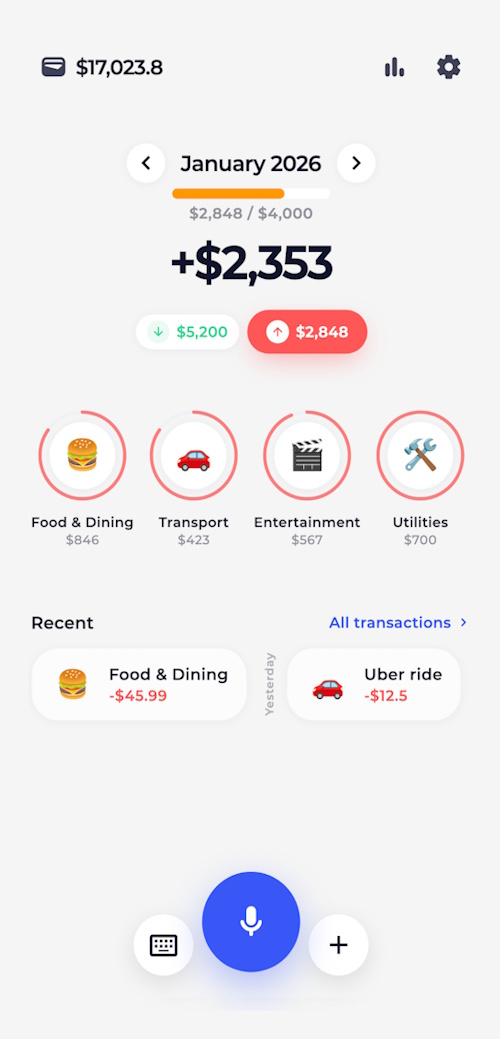
No bank login needed
AI picks the category
Your spending, in one place
HOW AUTOMATIC TRACKING WORKS
Choose your payment sources and complete setup. Budget AI will record the expenses automatically.
On iPhone: Apple Pay, SMS and notifications. On Android: bank and wallet notifications.
Follow the in-app setup: Shortcuts on iPhone or notification access on Android.
Budget AI reads the payment and records the amount, category and account.
AI suggests a category from the payment details. With remembering enabled, confirmed choices link merchants to categories and cards to accounts for future transactions.
Add custom categories, subcategories and instructions for AI recognition.
On iPhone: Apple Pay and SMS from iOS 17; app notifications from iOS 27. On Android, choose your bank apps and allow Budget AI notification access and background activity. Automatic tracking requires Premium; AI processing requires consent and an internet connection.
APP FEATURES
Add income and expenses by voice, receipt scan or manual entry. Plan your budget and review spending by category.
Say your expenses and income in one sentence. AI separates the transactions and suggests categories. Review the results and save them together.
Snap a receipt, share a payment screenshot or upload a bank statement. AI extracts transactions and suggests categories, so you can review amounts, dates and accounts before adding them to your budget.
Create multiple budgets: individual limits for key categories and a shared amount for the rest. Track what is left, plan future months and start your financial month on payday.
Income and expense charts, reports and a transaction calendar. Filter accounts, categories and subcategories, exclude what you don’t need and include planned payments in your balance forecast.
Keep cash, cards and savings in separate accounts, including cryptocurrency accounts. Organize them into groups, record transfers and see your total balance in your preferred currency.
WIDGETS
See income, expenses and the difference for your financial month on iPhone and Android. Launch voice input and the scanner from your Home Screen; widgets follow your app theme and hidden-balance setting.
CSV import and export. File backups for moving to another phone.
Local records. Optional PIN or biometric app lock.
Schedule rent, subscriptions, salary and other repeating transactions.
BUDGETING TIPS
Track spending for at least a week, including small purchases. See which categories take up the biggest part of your budget.
Separate rent, bills and subscriptions. Allow for those expenses before setting limits for everyday purchases.
Compare spending with your plan, check categories and adjust limits for the next period.
BUILDING WHAT’S NEXT
These features are in development and are not available yet.
Ask about your spending, explore habits and talk through your budget.
Keep your records up to date across your devices.
Plan for important purchases and follow your progress.
Advanced plans that account for future income, payments and goals.
Add transactions from your own tools and external data sources.
On iPhone, Shortcuts automations pass Apple Pay, SMS or notification details to Budget AI. On Android, the app receives notifications from your chosen banks after you enable access. AI recognizes the payment and assigns a category and account. No bank login is needed.
AI uses payment details to suggest a category, and you can correct the result. When remembering is enabled, confirmed merchant categories and card-to-account matches are saved for future transactions. You can also set custom category rules for voice and image recognition.
Open Automatic tracking in Budget AI settings, allow notification access and choose your bank or wallet apps. AI extracts the payment details and assigns a category and account, while the app saves the transaction in the background. Each source can have keyword and notification-title filters and a preset account. Follow the Android setup guide.
Yes. Say something like “Lunch $15, taxi $8 and $500 for a project.” AI separates income and expenses and suggests categories. Review amounts, dates and accounts in one screen, then confirm the entries together. You can also edit the recognized text.
Yes. Upload a bank statement as a PDF, CSV or TXT file, or share images and screenshots of transactions. The scanner also reads receipt photos. AI extracts transactions and suggests categories; review amounts, dates and accounts before saving. Supported file sizes and other limits are shown in the app.
On supported iPhones, connect Budget AI shortcuts to Siri, the Action button or Back Tap. You can also send text, images and supported documents from other apps through Share. On Android, Budget AI links can start voice input, open the scanner or open a new transaction form from Tasker and MacroDroid.
Yes. Recognize the data with your chosen AI or workflow rules, then pass a prepared amount, type, category, subcategory, account and currency. Use Log Transaction in Shortcuts on iOS or the single-transaction and batch links on Android. Prepared transactions are saved without another recognition step. Any external AI service processes data under its own terms.
Check the queue, Premium access, AI consent and filters. On Android, diagnostics show notification access and recent background runs; check battery restrictions too. Android retries queued payments when connectivity returns. On iPhone, check your Shortcuts automation and open Budget AI to retry queued payments.
Yes. Automatic tracking has its own AI category rules and editable mappings from merchants to categories and subcategories, and from cards to accounts. In a custom Android workflow, pass the desired category, subcategory and account directly in the link.
Budget AI is an AI expense tracker, income tracker and personal budget planner for iPhone and Android. Use it for everyday purchases, cash, salary, subscriptions and accounts in multiple currencies. Log transactions automatically on iPhone and Android, by voice, receipt scan, text or manual entry.
See income, expenses and the difference for your financial month on iPhone and Android. Launch voice input and the scanner from your Home Screen; widgets follow your app theme and hidden-balance setting. iOS 17+ also has Lock Screen input widgets; iOS 18+ adds controls for Control Center and the Action button.
Yes. Choose the starting day of your financial month. Create multiple budgets with their own categories and currency: set individual limits and let other categories share the remaining amount. Overspending reduces what is left. Review past results and plan months up to two years ahead.
Create repeating transactions for rent, subscriptions, salary and other regular payments. Planned transactions appear in the calendar and can be included in your balance forecast. Recurring transactions are a Premium feature. When confirming a recognized transaction, you can link it to an existing recurring payment to mark that occurrence as paid and remove its pending duplicate.
Yes. Create separate accounts for cash, cards and savings in different currencies, including cryptocurrencies. Group accounts, record transfers separately and view your total balance in your chosen currency.
Explore category breakdowns, income and expense charts and reports for your chosen period. Filter by account, category or subcategory to focus on specific spending or exclude it. Open individual entries in your transaction history and calendar.
Upload a CSV file and match columns for dates, amounts, accounts and categories. Review entries and possible duplicates before importing. Make a backup first. PDF bank statements can also be processed with the AI scanner.
Yes. Export transactions to CSV with filters for dates, accounts and categories. Format settings help prepare the file for Excel or other spreadsheets. A backup file lets you restore your records in Budget AI on another device.
You can start without signing up or connecting a bank. Accounts, categories and transactions are stored on your device. AI features send the text, images or documents needed for recognition to processing services and require an internet connection. Optional PIN or biometric locking protects access to the app. Read the privacy policy.
You can try Budget AI for free without starting a trial or subscribing. The free version has limits on accounts, categories and AI usage.
Premium adds automatic tracking, recurring transactions, AI category rules, app locking and CSV export.
Eligible offers include a free Premium trial. Availability, duration and the price afterward are shown in the app before you subscribe. After the trial, the subscription automatically renews at the displayed price unless you cancel.
These features are in development. Plans include AI chat about your finances, cloud sync across devices, savings goals, smarter advanced budgeting and an API for adding transactions. For now, move records using backup files and use Budget AI automation links for your own workflows.

BUDGET AI FOR IPHONE AND ANDROID
Try Budget AI for free. No sign-up, subscription or trial required.
A free Premium trial is available with eligible offers; see the app for terms.
Automatic tracking requires Premium and setup on iPhone or Android.